Widgets are the building blocks of every DocHipo document. You can add, duplicate, or delete widgets to design and customize your document.
Widgets in DocHipo
DocHipo offers a wide range of widgets grouped into different sections:
Text
- Text
- AI Writer
- AI Translate
- Text Frames
- Text Art
Graphics and Media
- Background
- Lines
- Shapes
- Icons
- Stickers
- Illustrations
- Pictures
- Uploads
- Videos
- Animations
- Audio
- QR Code
- Collages
- Frames
Interactions
Data Visualization
Tables
- Table
- Pricing Table
- Itinerary
- Scope of Work
- Timeline
- Portfolio
- Case Study
Signature
Forms
Brand Kits and Themes
Page Setup
- Page Size
- Page Margin
- Page Transition
Versions
Find widgets in DocHipo
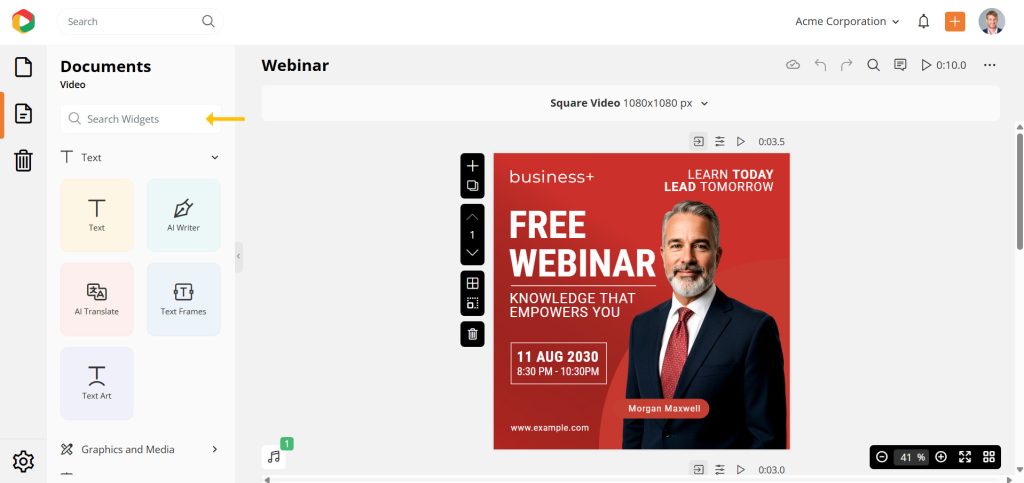
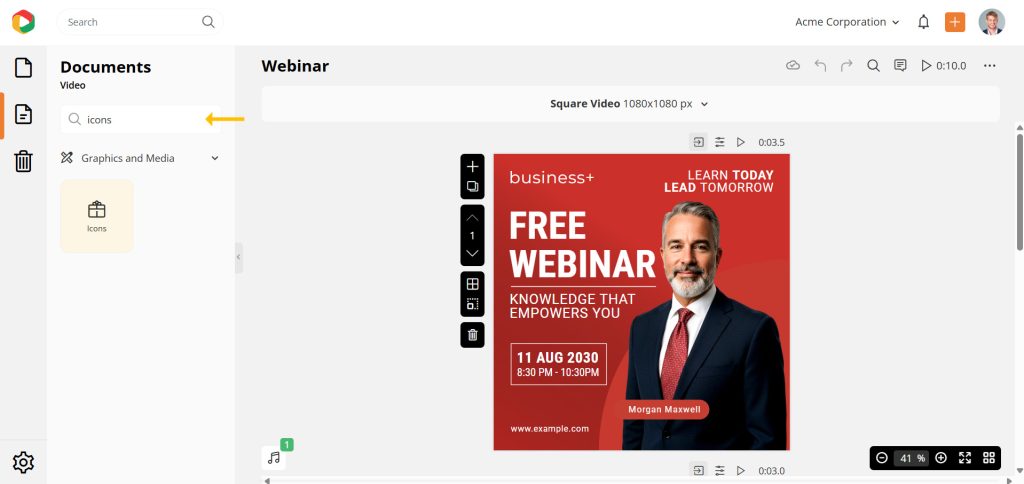
On the editor side panel, you can use the Search Widgets option to quickly find any widget.
Note
Why can’t I see some widgets in the document editor?
The availability of widgets depends on the document type.
- Available only for Proposal documents: Pricing Table, Itinerary, Scope of Work, Timeline, Portfolio, Case Study, Signature
- Available only for Interactive Demo documents: Callouts, Buttons
- Page Size is not available for: Infographic, Presentation, Proposal
- Audio is not available for: Infographic, Proposal, Interactive Demo


