You can flip a widget horizontally or vertically to change its orientation within your document.
Step 1:
Select the widget you want to flip.
Step 2:
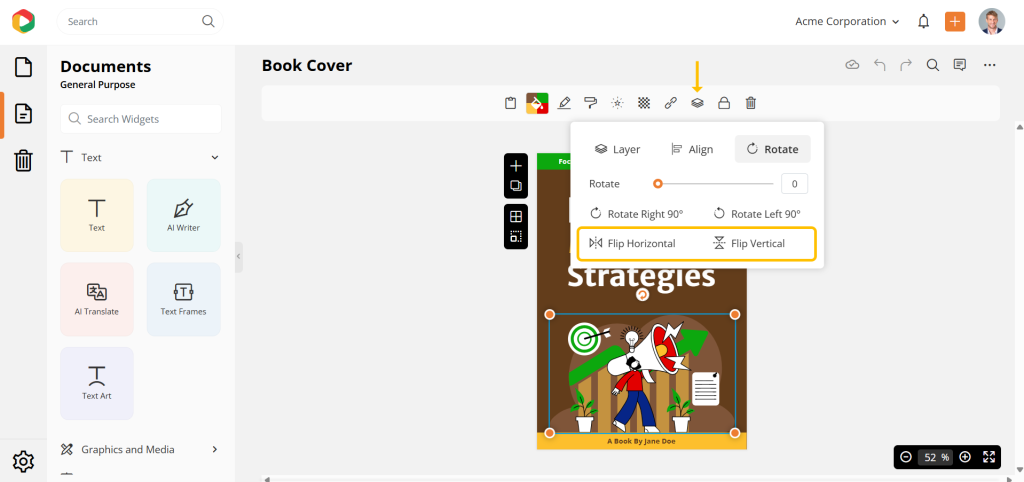
- On the contextual toolbar, click Arrange
- Under Rotate, choose one of the following:
- Flip Horizontal to flip the widget sideways
- Flip Vertical to flip the widget upside down
Note
Why can’t I flip some widgets?
The flip option is not available for the following widgets:
- Collage
- Frames
- Callouts
- Charts
- Maps
- Table
- Pricing Table
- Itinerary
- Scope of Work
- Timeline
- Portfolio
- Case Study
- Forms

